Access Control System Design and Installation in San Diego
An access control system is six parts: credentials, readers, a controller, door hardware, power, and software. Commercial Lock & Door Co. designs, installs, and services all six for commercial buildings across San Diego County, down to the strike in the frame.
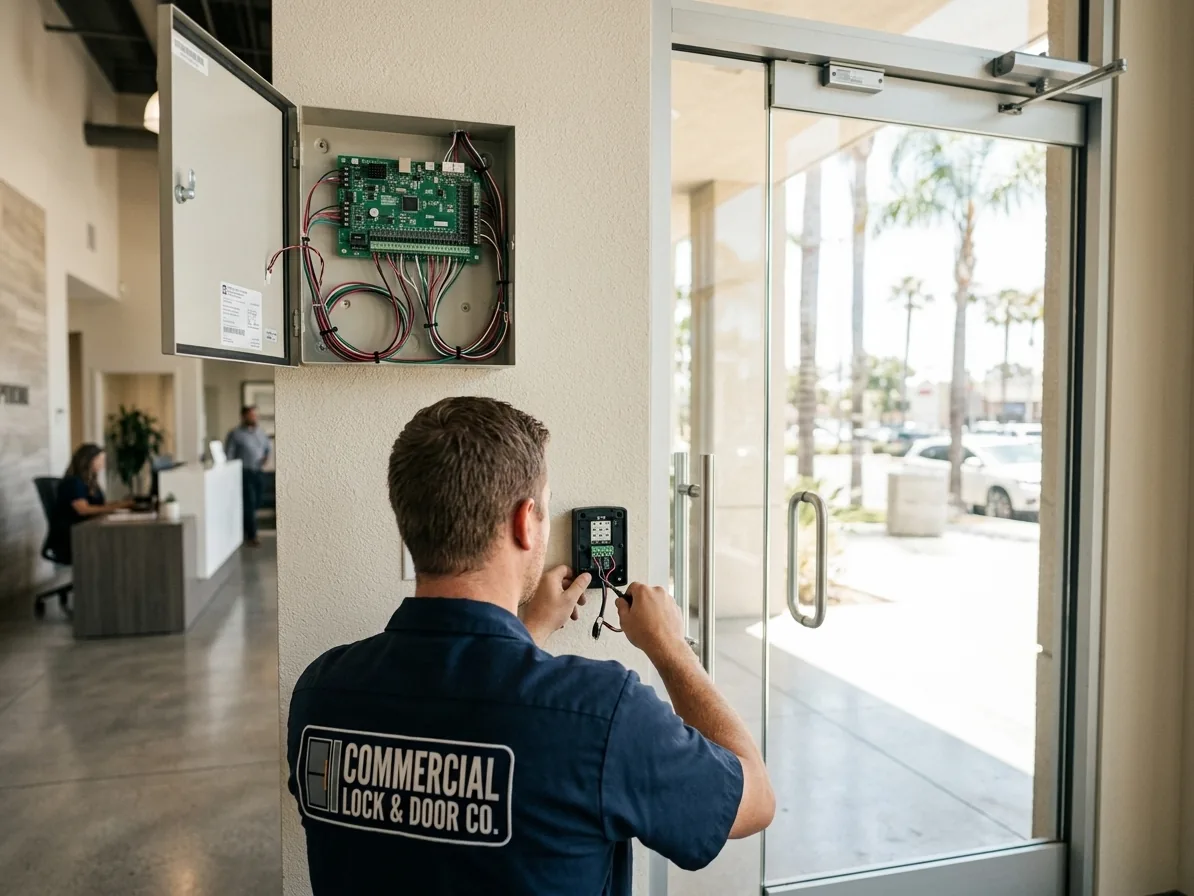
When the key ring can no longer keep up with the building
Every building hits the same wall. The key ring grows until nobody can say who holds copies of what.
A supervisor leaves and the honest answer to which doors that key still opens is a shrug. The front desk buzzes vendors in on faith. Somebody props the roof door for a smoke break and there is no record it ever happened. At some point the question stops being whether to add access control and becomes who is going to design it without making a mess of the doors.
An access control system is not a gadget on the wall. It is a chain: a credential in somebody's pocket, a reader at the door, a controller that says yes or no, hardware in the frame that actually unlocks, a power supply feeding all of it, and software where people and schedules live. Most systems that disappoint were bought as readers and software. The failures almost always happen in the two links nobody demonstrated in the sales meeting, the power and the door hardware.
For years we installed the door hardware side of these systems under other companies' panels, and we still take that work gladly. What has changed is the rest of it. We now design, supply, install, and service complete systems: card, fob, and mobile credentials, readers, controllers, cloud-managed platforms, video intercoms and telephone entry, and the strikes, maglocks, and electrified hardware underneath, for commercial buildings across San Diego County. One contractor, from the credential to the latch.
What an Access Control System Actually Consists Of
Strip the marketing off and every system, from a single suite door in Kearny Mesa to a badge-everything campus, is built from the same six parts.
The reader gets all the attention because it is the part you see. The controller does the work: when you badge in, the reader passes the credential to the controller, the controller checks it against the list, and if the answer is yes it closes a relay for a few seconds. Everything the system will ever do for you rides on that relay landing on hardware that was chosen and installed correctly.
Where the controller lives is the real dividing line in the market. It can live inside the lock itself, in a panel in a telecom closet, or in a small board above each door that reports to a cloud platform. That choice drives wiring, cost, and who manages the system day to day, and it is the first decision we work through with you, not the last.
- Credentials: cards, fobs, PIN codes, or mobile credentials on a phone
- Readers: prox, smart card, keypad, or multi-technology units at each opening
- Controller: the decision maker, standalone, paneled, or cloud connected
- Door hardware: the strike, maglock, or electrified trim that physically unlocks
- Power: supervised supplies sized to the hardware, with battery backup
- Software: where people, doors, schedules, and the audit trail live
Cards, Fobs, Phones, and the Day Somebody Leaves
The whole argument for a credential over a key fits in one scenario. An employee with a master key quits on bad terms on a Friday afternoon.
With keys, you collect what they hand back, wonder what was copied, and schedule a rekey of every cylinder that key operated, which on a master keyed building can be most of them. With credentials, you open the software, revoke one entry, and it is done in under a minute. If they try the door Saturday morning, the system logs the attempt and the door stays shut.
Not all credentials earn that trust equally. The older 125 kHz prox cards still shipped by default on cheap systems can be cloned at a mall kiosk or with a handheld copier in seconds, which puts them roughly on par with a stamped Do Not Duplicate key: a polite request. Encrypted smart credentials cost a little more per card and are what we spec when a system is being built new. If your building is still handing out plain prox cards, that is worth a conversation before you order more of them.
Mobile credentials put the badge in a phone's wallet or an app. People forget fobs and lose cards; they turn the car around for a phone. For a property manager the practical win is provisioning: a new tenant employee can be credentialed from a desk in another building without anyone driving a fob across the county. Most buildings still run a mix, because a delivery driver or a night-shift temp is not installing an app.
Somebody has to own the list. Adds, removals, schedule changes, lost card lockouts. On cloud platforms it is a browser tab a property manager can run without us. We set the system up, train whoever owns it, and stay available for the changes nobody got around to.
Standalone, Networked, or Cloud-Managed Access Control
One door with light traffic often does not need a system at all.
A standalone keypad or code lock handles a janitor closet, a back-of-house door, or a small suite: the code is checked inside the lock, nothing gets wired back to a panel, and there is no monthly anything. The honest limits are audit and control. Codes get shared, and the audit trail, where one exists, lives inside the lock: somebody has to walk to the door to read it, and a shared code never tells you who used it.
Networked systems put controllers in a telecom closet with each door home-run to the panel, and the management software stays on your side of the wall. They fit single buildings with an IT staff and operations that want everything on premises. A fair amount of lab space in Sorrento Valley runs this way on purpose, because the security team wants the access database inside the building, not in somebody's cloud.
Cloud-managed platforms, ProdataKey and similar lines, put a small controller at or near each door and the management in a browser. There is no server to own, and a portfolio manager can revoke a credential, unlock a lobby, or pull an event report for any building from anywhere. The trade is a per-door subscription that adds up over ten years, and we put that line in the quote instead of letting it surface in year two.
Multi-tenant buildings are their own design problem. The lobby, elevator lobby, and garage doors are shared; suite doors belong to tenants. A properly partitioned system lets each tenant manage their own people while the building manages the shell, and one revoked badge dies everywhere at once. For management companies running buildings from Escondido to Otay Mesa, standardizing on one platform means every site walks and reports the same way.
The Hardware in the Door Decides Whether Any of It Works
When the controller says yes, something physical has to unlock, and choosing that something is where our side of the trade earns its keep.
Electric strikes release the latch of a lock that stays otherwise mechanical, which makes them the default on suite and perimeter doors. Magnetic locks hold a door with an electromagnet and no latch at all, which suits glass storefront pairs and herculite doors that have nowhere to put one. Electrified levers, exit device trim, and latch retraction put the switching inside the lock or the panic hardware itself, which is the answer on stairwells, on vertical rod doors where there is no latch at the jamb for a strike to capture, and on rated openings that need fail-safe control, which a fire-rated strike is not permitted to provide.
Every electrified opening is specified fail-safe or fail-secure, meaning unlocked or locked when power is lost, and the opening decides, not preference. Fire-rated doors have to stay positively latched, which rules out fail-safe strikes and rules out a maglock as the securing hardware there. Maglocks are fail-safe by nature and carry their own release rules: typically a motion sensor, a push-to-exit button, and a tie into the fire alarm so the door lets go on alarm. Those requirements come from the code and the authority having jurisdiction, and that authority has the final say on every opening, so we design to what the local inspector will actually pass.
Two small parts separate a system that reports the truth from one that guesses. A request-to-exit device, a motion sensor or a switch inside the hardware, tells the controller that the person going through is leaving normally, so the log does not fill with false forced-door events until somebody turns the alerts off. A door position switch tells the system whether the door is actually closed. Without it, the log records that a badge was presented and nothing else. It cannot see the brick.
Through all of it, egress stays mechanical on almost every opening. The lever or exit device on the inside retracts the latch no matter what the system is doing, so a dead controller, a cut wire, or a crashed server never traps anyone. The maglock is the one exception, which is exactly why it carries the extra release hardware above.
Power Loss, Internet Loss, and the Key You Keep Anyway
When power drops, a fail-secure opening stays locked to the outside, opens freely from the inside, and still opens by key.
Power supplies get battery backup sized to a runtime we can defend rather than a brochure number, and maglock openings unlock when the batteries quit, because that is what fail-safe means. None of this should be discovered during an outage. It gets decided per opening while the system is being designed.
When the internet drops, a properly built cloud system keeps working at the door. The controllers hold the credential database locally, so badges keep reading and doors keep unlocking with no connection at all. What pauses is the remote side: browser changes, phone unlocks, and event reporting wait until the connection returns, then sync. If a vendor tells you their doors stop deciding when the cloud is unreachable, keep shopping.
And the cylinder stays. A reader does not replace the mechanical key, it demotes it to a backup, and a backup only works if it is controlled. We keep every electrified opening keyed into a documented master key system, restricted keys where it matters, so the day a controller dies or the fire department needs in, the right key exists and someone knows where it is. We have stood in buildings that badge beautifully and could not produce a working key to their own electrical room.
Environment is part of the design out here. Readers and maglocks on exterior gates, garage entries, and coastal buildings up toward Carlsbad live in sun and salt air, and the cheap ones fail early and ugly. Sealed readers, gasketed housings, stainless hardware, and drip loops on every penetration are small line items on day one and the reason the system still reads in year six.
Scope, Quoting, and Working With What You Already Have
Design starts with a walk, not a catalog. Which doors actually need control is almost always a shorter list than the first draft, and controlling eight doors well beats controlling twenty badly.
On the walk we confirm frame materials and wire paths, where controllers and power can live, whether the fire alarm panel has spare relays, and which openings are rated. Tilt-up shells out in Miramar and Otay Mesa hide grout-filled frames and long header runs; older Downtown lobbies hide sixty years of abandoned wiring. Both change the labor, so we look first and quote after.
If an integrator already owns your platform, that arrangement stays on the table. We prep the openings, set the strikes and maglocks, build clean power, add request-to-exit and door position switches, and hand their panel a finished opening with a relay to land on, the same as we always have. Where a system has been orphaned, the installing dealer gone and nobody holding the passwords, we will tell you plainly whether the platform is open enough to take over or proprietary enough that replacement is the honest path.
Quotes are written per job and itemized: hardware per opening, head end, credentials, and labor as separate lines, so a portfolio can be phased across budget periods without requoting the same doors. If your process needs vendor paperwork, a PO number, or net terms before anyone mobilizes, tell us at the start and we will route it. We are open seven days a week, and most lobby cutovers get planned around tenant hours rather than through them.
Commercial work is quoted per job, never off a price list. These are the factors that make a quote larger or smaller:
- Door count, and whether the openings sit in one building or across a portfolio.
- Hardware per opening. A strike on a suite door, a maglock on a glass lobby pair, and electrified trim on a stairwell are three different scopes.
- Frame and wire path. Grout-filled hollow metal, storefront tube, and long runs back to the panel all add labor.
- Platform choice. A standalone keypad, a networked panel, and a cloud-managed controller carry different hardware and different ongoing licensing.
- Credential type and count, from basic prox cards to encrypted smart cards and mobile credentials.
- Fire alarm tie-in where the hardware requires it, and after-hours work around tenants and lobby traffic.
Where we run access control
Lobby fob cutovers, partitioned suite doors in business parks, and sealed readers on salt-air gates toward Carlsbad are the jobs that bring us out to these districts.
Common in these buildings
Portfolio lobbies moving from keys to fobs, suites that turn over every lease, and labs that keep the access database on premises are where these systems land.